Author: Dylan Banks

  • State Farm Office Network Upgrades: A Step-by-Step Guide

    State Farm Office Network Upgrades: A Step-by-Step Guide

    Planning office network upgrades during the State Farm transition requires mapping out hardware requirements and ISP timelines before corporate equipment is removed. A proactive upgrade schedule prevents agency downtime and ensures seamless integration with State Farm's operational guidance.

    Transitioning from corporate-managed infrastructure to self-managed operations is one of the most critical operational shifts an independent agency will undertake. When State Farm removes its legacy equipment, your agency assumes full responsibility for local connectivity, Wi-Fi security, and uptime. Without a structured upgrade plan, agents risk unexpected downtime, printer connectivity headaches, and frustrated clients.

    Why do office network upgrades matter for State Farm agents?

    Office network upgrades establish the foundation for secure client data transmission, reliable VoIP communication, and uninterrupted daily operations. When moving away from corporate infrastructure, commercial-grade hardware ensures your office meets modern security standards.

    Independent insurance offices handle sensitive policyholder data daily. According to small business security guidelines published by the Cybersecurity and Infrastructure Security Agency (CISA), robust endpoint and network defenses are vital for mitigating cyber threats (learn more via CISA small business resources). A standard consumer router from a retail store cannot provide the VLAN segmentation, intrusion protection, or commercial reliability required for a client-facing agency. Furthermore, State Farm's official transition guidance highlights that desk phones and network peripherals depend entirely on a stable local environment. Establishing a secure, professionally managed network ahead of time eliminates friction on transition day.

    How do you timeline your ISP and hardware installation?

    Timing your Internet Service Provider (ISP) selection and hardware deployment prevents coverage gaps during the transition window. You should order your new business-class internet connection at least four weeks before corporate equipment removal.

    Coordinating ISP installation with hardware deployment requires precise sequencing. If your new fiber or cable connection is activated too early, you pay for duplicate service; if it is activated too late, your office goes dark the moment State Farm turns off corporate gear. Once the ISP line is live, professional installation of commercial-grade hardware: such as UniFi enterprise gateways and access points: ensures your office network is fully operational before staff arrive on Monday morning. For a deeper understanding of how service options compare, review our breakdown of ISP managed WiFi add-ons.

    What are the key differences between upgrade approaches?

    Comparing DIY setups, ISP router rentals, and fully managed network solutions clarifies why commercial-grade infrastructure is necessary for a State Farm agency. The right choice depends on your tolerance for troubleshooting technical issues.

    Feature Consumer DIY Router ISP Managed WiFi Add-On Fully Managed Network
    Monthly Cost $10 – $15 (hardware purchase) $20 – $30/mo Plans from $109/mo
    Hardware Quality Consumer-grade plastic Basic ISP gateway Commercial UniFi hardware
    Cellular Failover Rarely included Extra fee / limited Included 5G cellular failover
    Ongoing Support None (self-managed) Basic ISP call center Proactive remote management

    Evaluating these options against agency realities demonstrates that consumer equipment leaves too much to chance. While a retail router costs little upfront, it offers no remote visibility and lacks the horsepower for multi-device environments. Meanwhile, ISP add-ons frequently lock agents into mediocre hardware with rigid limitations. A managed network provides enterprise-grade performance while leveraging your State Farm stipend to cover most or all of the monthly operating cost.

    How does the State Farm stipend apply to your new infrastructure?

    The $200/mo State Farm stipend is provided per office to help offset independent technology costs once corporate equipment is removed. This stipend is paid directly to the primary agent and begins only after State Farm removes its equipment, not at signup.

    Financial planning during the transition requires understanding that State Farm is still evaluating the long-duration outlook of the stipend program. Because the stipend is not guaranteed indefinitely, agency owners should select infrastructure plans that offer predictable value and transparent pricing. For details on how recent structural adjustments affect agency finances, consult how State Farm contract changes impact your bottom line. Our agency plans start from $109/mo, designed to fit comfortably within the $200 stipend threshold. To explore service tiers and features, visit our transparent pricing model.

    Professional insurance agent collaborating in a modern office with minimalist decor and warm lighting

    How do you maintain ongoing network visibility and reliability?

    Ongoing network visibility is achieved through cloud-managed architecture that allows remote monitoring, instant firmware updates, and rapid troubleshooting. Enterprise cloud management platforms provide real-time alerts if an internet connection drops.

    Maintaining a reliable office network means you never have to guess whether your internet is functioning properly. Utilizing advanced cloud platforms: such as those detailed on UniFi cloud management: allows network engineers to monitor gateway health, bandwidth consumption, and security status remotely. Furthermore, State Farm's transition guidance advises agents to consider backup internet and uninterruptible power supplies (UPS). Adding 5G cellular failover ensures that even if local fiber lines are severed by construction, your agency automatically switches to cellular data without missing a policy quote or client call.
    Sleek network hardware neatly integrated into a professional office environment

    What questions should you ask before upgrading your agency network?

    When should I start planning my office network upgrade?
    You should begin planning at least four to six weeks before State Farm removes its corporate equipment to allow adequate time for ISP provisioning and hardware installation.

    Does the $200/mo stipend cover the entire cost of my new internet?
    The $200/mo stipend is paid to the primary agent per office upon removal of corporate equipment, and while it is evaluated by State Farm, our plans start from $109/mo to ensure most agents pay little to nothing out of pocket.

    Will my office phones and printers work immediately after the switch?
    Desk phones will utilize State Farm’s transition software like Jabber until Zoom Phone rolls out, and compatible LAN printers (such as 5700 and M507X models) will connect directly to your new office network.

    What happens if my primary internet connection drops during business hours?
    Our managed setup includes 5G cellular failover and battery backup options, fulfilling State Farm’s guidance on outage preparedness and keeping your agency online automatically.


    Ready to secure your agency's transition with a fully managed, commercial-grade network built for State Farm offices? Get started with Agent Choice Internet today.

    Related reading: The State Farm Agent’s Guide to Choosing a Managed Network Services Provider.

  • How to Manage Internet for Multiple State Farm Offices

    How to Manage Internet for Multiple State Farm Offices

    Managing internet for multiple State Farm offices requires one managed network strategy across every location, not a different setup at each address. The simplest way to do that is to standardize hardware, centralize visibility, and add failover at every office so one outage or bad local setup does not turn into a company-wide problem.

    Why does a multi-office State Farm agent need a different setup than a single office?

    A multi-office State Farm agent needs centralized control because each extra location adds more chances for outages, misconfiguration, and inconsistent security. What works in one office becomes harder to manage when you have two, three, or five sites operating on separate internet accounts and separate equipment.

    The problem is usually not bandwidth first. The problem is management. If every office has its own router, its own ISP login, and its own support number, the primary agent ends up acting like the network coordinator. That is time you should not be spending on vendors, equipment resets, or trying to figure out which location lost service.

    I would not recommend letting each office “figure it out locally” with a consumer router from a big box store or an ISP upsell. That can be fine for a tiny temporary space, but it is not how I would run a permanent multi-office agency. Once locations share the same standards for Wi-Fi, firewall rules, device segmentation, and monitoring, support gets much easier.

    A lot of agents compare a true managed network to an ISP extra. Reviewing our breakdown of ISP managed WiFi add-ons is useful here because the difference is not just price. The real difference is whether you can see and manage all sites as one environment.

    What should be standardized across every office?

    Every office should use the same managed network design, the same class of hardware, and the same support process. Standardization is what turns multiple locations from a headache into something predictable.

    At a minimum, I would standardize firewall and gateway hardware, Wi-Fi access points, switching, guest network policy, and failover policy. If one branch has different equipment than the rest, you create exceptions. Exceptions are where troubleshooting gets slower and where updates get missed.

    Using a cloud-managed platform matters because it lets one operations team push changes across locations without driving to each office. Ubiquiti documents that UniFi Site Manager provides centralized management for multiple sites from one interface, which is exactly the kind of visibility a multi-office setup needs: https://ui.com/unifi/management.

    Feature Separate Office-by-Office Setup Standardized Managed Network
    Hardware consistency Different routers and settings at each site Same platform and policy across locations
    Support process Different ISP numbers and local workarounds One support path for every office
    Visibility Manual checks site by site Central monitoring across all offices
    Outage response Reactive after staff report a problem Alerts and failover built into the design

    How do you handle internet outages across multiple offices?

    You handle outages by assuming they will happen and designing each office so a local failure does not stop the staff cold. For a multi-office State Farm agent, that usually means primary internet, 5G cellular failover, and battery backup at each location.

    State Farm’s transition guidance tells agents to consider both a backup internet connection and a UPS for outages. That matters more in a multi-office environment because the odds of one site having a provider outage go up as you add locations. A branch office with no failover becomes the weak point in the whole operation.

    This is one area where I would not cut corners. I would not put failover only at the main office and leave smaller branches exposed. Smaller branches still quote business, service policies, and answer customers. If the secondary office is offline for half a day, the disruption is still real.

    The practical goal is simple: if one ISP drops, the office stays online long enough for the team to keep working while the primary circuit is restored. For agents planning growth, our multi-office agent solutions are built around that kind of standard, repeatable deployment.

    How should the State Farm stipend be planned across more than one office?

    The stipend should be planned office by office, not treated like one big pool that starts immediately. State Farm’s guidance says the $200 monthly stipend is one per office, paid to the primary agent, and it starts only after State Farm removes its office equipment.

    That timing matters in a multi-office rollout. If you are moving locations in stages, you need to know which offices have transitioned and which offices have not. I would not budget as if every office starts receiving the stipend on day one, because that is not how the program works.

    The stipend helps offset cost, but it should not be described as permanent or as free internet. State Farm is still evaluating the duration. That is another reason multi-office agents should look at the total operating model, not just the first invoice. If you want context on how transition decisions affect agency economics, read how State Farm contract changes impact your bottom line.

    If you are comparing options, focus on whether the setup reduces owner workload and whether the monthly structure is easy to understand. A clear transparent pricing model is better than a patchwork of hardware purchases, support fees, and local ISP extras that are hard to track across offices.

    Who should coordinate ISPs, installs, and support for multiple locations?

    One provider should coordinate ISP research, install timing, equipment standards, and ongoing monitoring across all offices. Multi-site internet gets messy fast when each branch works with a different local contact and nobody owns the whole picture.

    The hardest part is usually not the first install. It is the second and third office, where inconsistent billing cycles, different service windows, and different hardware decisions start stacking up. If one office has fiber, another has cable, and a third needs failover-only planning until better circuits are available, someone still needs to make the network feel consistent to the agent.

    That is why I prefer a managed approach with one point of contact. The agent should not have to chase three ISPs, remember four account numbers, and decide whether a problem is local Wi-Fi, the WAN circuit, or a hardware issue. The best multi-office setup is the one that removes those decisions from the office staff.

    What questions do agents usually ask before rolling this out?

    Do all my offices need the same hardware?
    Not always the exact same model, but every office should be built on the same managed network platform and policy standard so support stays consistent.

    Does the State Farm stipend apply to each office?
    Yes, the stipend is one per office and paid to the primary agent, but it begins only after State Farm removes its office equipment from that office.

    Should smaller satellite offices also get failover?
    Yes, if the office needs to stay productive during an ISP outage, failover should be part of the design instead of being reserved only for the main location.

    Can one dashboard show all office networks?
    Yes, a centralized managed network can show health, alerts, and device status across multiple office locations from one place.

    Do I need on-site IT staff at each of my agency locations?
    No, all remote management, configuration updates, and monitoring are handled for you, eliminating the need for local technical personnel.

    If you are coordinating internet across more than one agency location, get started today and we will map out one standardized build for every office.

  • Are ISP “Managed WiFi” Add-Ons ($20–$30/mo) the Same as a Managed Network?

    Are ISP “Managed WiFi” Add-Ons ($20–$30/mo) the Same as a Managed Network?

    An ISP "managed WiFi" add-on is a consumer-grade router rental with basic app controls, whereas a true managed network is a commercial-grade, multi-device infrastructure with active remote monitoring, security policies, and continuous hardware maintenance. While paying an extra $20 to $30 a month to your cable or fiber provider might seem like an easy way to get wireless coverage in a small office, it leaves critical agency operations exposed to consumer limitations.

    When independent insurance agents transition their offices: whether moving away from corporate infrastructure or setting up a new storefront: evaluating office technology can get confusing. Internet Service Providers (ISPs) often market "managed WiFi" packages as an all-in-one corporate solution. But understanding the gap between a consumer router add-on and enterprise-grade network architecture is vital for protecting client data and daily productivity.

    What Do ISP "Managed WiFi" Add-Ons Actually Include?

    An ISP managed WiFi add-on is typically a standard gateway router paired with a smartphone app that lets you reboot your network or set up a guest network. For twenty to thirty dollars a month, the ISP provides the physical gateway box and swaps it out if it fails.

    According to the FCC Small Business Broadband Guidance, securing workplace Wi-Fi networks and controlling logical access to systems are foundational steps for maintaining data continuity. However, standard ISP add-ons are designed primarily for single-family residential homes or very basic retail shops. They lack the advanced VLAN segmentation, remote troubleshooting tools, and proactive monitoring required for insurance agencies handling sensitive financial and personal information.

    When your internet slows down or drops during a peak quoting session, an ISP app won't diagnose whether the bottleneck is local interference, a firmware glitch, or upstream packet loss. You are left calling standard consumer support queues, waiting on hold while your staff and clients wait.

    A professional insurance agent collaborating in a bright, modern meeting room with clean desk setup

    How Does a True Managed Network Differ from an ISP Router?

    A true managed network replaces consumer hardware with commercial-grade infrastructure that is professionally installed, monitored, and maintained remotely by network specialists. Rather than relying on a single all-in-one gateway box, a managed architecture utilizes dedicated enterprise routers, managed switches, and commercial access points designed to handle heavy concurrent traffic without dropping packets.

    At Agent Choice Internet, we take care of everything: researching and comparing available Internet Service Providers, installing commercial-grade UniFi hardware, and providing ongoing remote network management for your office. Our approach ensures that your office network is separated from guest traffic, secured against unauthorized access, and continuously updated without requiring your team to touch a single cable.

    Feature ISP "Managed WiFi" ($20–$30/mo) ACI Managed Network
    Hardware Grade Consumer gateway router / combo unit Commercial-grade enterprise hardware (UniFi)
    Remote Monitoring None (reactive consumer support) 24/7 proactive remote monitoring and updates
    Security & VLANs Basic guest network toggle Advanced segmentation for agency data, VoIP, and guests
    Maintenance & Swaps Customer-managed replacement shipping Fully managed hardware maintenance and leasing
    Failover Protection Rare / unavailable on basic tiers Built-in 5G cellular failover and battery backup options

    To understand more about how our managed infrastructure integrates into your workspace, explore how to evaluate a managed network service provider.

    When Is ISP Managed WiFi Actually Enough for an Office?

    To be entirely fair, an ISP managed WiFi add-on can be sufficient under very specific, low-demand circumstances. If you are a solo agent working out of a small home studio with a single laptop, a single wireless printer, and no dedicated client reception area, a basic ISP router may handle your daily web browsing and email needs.

    If your agency never hosts clients on-site, doesn't run wired IP security cameras or access control systems, and can tolerate occasional reboots when the gateway freezes, paying a small monthly rental fee to your ISP keeps things simple.

    However, the moment you add a second staff member, integrate dedicated office phones, or need to comply with modern agency data standards, a consumer-grade router quickly hits its technical ceiling.

    A diverse male insurance agent reviewing policies on a sleek computer setup in a pristine, sunlit office

    Will ISP Managed WiFi Support Agency Printers and Secure VoIP?

    Many agents discover too late that consumer ISP routers struggle with multi-device office environments and specialized peripherals. State Farm's official agent transition guidance notes specific hardware compatibility requirements: such as ensuring compatible LAN printers function smoothly across the local network while USB printers operate one workstation at a time.

    Consumer routers often fail to maintain stable local routing for shared network printers, resulting in constant offline errors and printing bottlenecks. Furthermore, VoIP softphones and conferencing tools require prioritized packet handling (QoS) to prevent choppy audio or dropped client calls during busy office hours. ISP add-on routers rarely configure these parameters automatically, leaving your staff to troubleshoot network hiccups instead of serving policyholders.

    For a comprehensive overview of the full infrastructure packages available for your agency, review whether a managed internet service actually fits your agency.

    How Does a Managed Network Meet State Farm Infrastructure Guidance?

    State Farm's own guidance tells agents to consider adding a backup internet connection and an uninterruptible power supply (UPS) for outages. Consumer ISP managed WiFi add-ons do not include cellular failover or battery backups; if neighborhood power or line service drops, your office goes completely dark.

    By contrast, commercial managed networks can integrate automatic 5G cellular failover and enterprise-grade battery backups to keep your team online when local broadband fails. This alignment with State Farm's operational guidance ensures your agency maintains business continuity without unexpected downtime.

    To check regional options and availability for your agency location, find your state's options on our coverage page.

    A modern small insurance agency reception and workstation area with warm lighting and a professional team

    What Do Most Independent Agents Ultimately Choose?

    Most independent insurance agency owners ultimately realize that saving $20 a month on a consumer ISP add-on isn't worth the hidden cost of dropped connections, printer headaches, and administrative downtime. They prefer a turnkey, white-glove solution where commercial hardware is leased, maintained, and monitored by experts.

    With plans starting from $109/mo, Agent Choice Internet provides a commercial-grade platform designed to maximize State Farm's $200/mo stipend. Because the stipend is one per office (paid to the primary agent and beginning when State Farm removes its office equipment, with duration still being evaluated by State Farm), our infrastructure is built to deliver maximum value. Most 1–3 person offices total about $189–$209/mo including their ISP : often under $10/mo out of pocket against the stipend.

    Ready to secure your agency with hassle-free infrastructure? Review our transparent pricing details or get started today.

    Agent Choice Internet is a service of FollowThrough Works LLC and is not affiliated with, endorsed by, or sponsored by State Farm.

    Is an ISP managed WiFi router secure enough for an insurance agency?
    Consumer ISP routers offer basic password protection and guest toggles, but they lack advanced VLAN segmentation, proactive intrusion detection, and commercial-grade security controls required for handling sensitive client insurance data.

    Why do consumer ISP routers struggle in a small office?
    Consumer routers are built for light residential streaming and web browsing. They frequently drop connections under heavy multi-device loads, fail to maintain stable local printer routing, and lack quality-of-service prioritization for VoIP calls.

    Does a managed network include backup internet for power outages?
    Standard ISP add-ons do not include backup power or cellular failover. Professional managed networks integrate 5G cellular failover and battery backups to align with continuity guidance for insurance offices.

    How much does a fully managed network cost compared to an ISP add-on?
    While ISP add-ons cost $20–$30/mo for a basic router, ACI managed plans start from $109/mo and are designed to be largely offset by State Farm’s $200/mo stipend, with typical multi-device offices running under $10/mo out of pocket.

    Related reading: Managed Network Services Provider for Insurance Offices.

  • Do I Really Need a Managed Network for a 1–3 Person Insurance Office?

    Do I Really Need a Managed Network for a 1–3 Person Insurance Office?

    A 1–3 person insurance office needs a managed network because it replaces the hidden time-sink of IT troubleshooting with a professional, secure environment that works every single day. While a home-grade router might connect you to the internet, it cannot provide the security, uptime, or remote support required to run a high-volume insurance agency without interruption.

    Managed internet is more than just a connection; it is a "done-for-you" infrastructure. For a small team, every minute spent fixing a printer or resetting a router is a minute taken away from selling policies. By moving to a managed service, you ensure that your office network is handled by experts who monitor your connection, update your hardware, and keep your data safe.

    Is a managed network overkill for a very small office?

    No, because a professional managed network eliminates the single greatest threat to a small agency: downtime. Even in a one-person office, a lost morning of internet connectivity can result in missed leads and delayed service that damages your reputation.

    Many agents believe that small offices can "get by" with consumer hardware. However, the true cost of a network is not the price of the router, but the cost of the time you spend managing it. how managed IT compares with a DIY setup turn your office technology into a utility that just works, allowing you to focus entirely on your clients.

    Can I just use a consumer router from a big-box store?

    You can use consumer hardware, but it places the entire burden of security, updates, and troubleshooting on your shoulders. Consumer devices are designed for home use where a 15-minute outage is an inconvenience, whereas in a State Farm office, it is an operational failure.

    DIY setups require you to be your own IT manager. You are responsible for:

    • Manually updating firmware to protect against new threats.
    • Troubleshooting why the WiFi is slow in the back office.
    • Figuring out why the printer stopped talking to the network.
    • Managing your own backup internet if the primary line goes down.

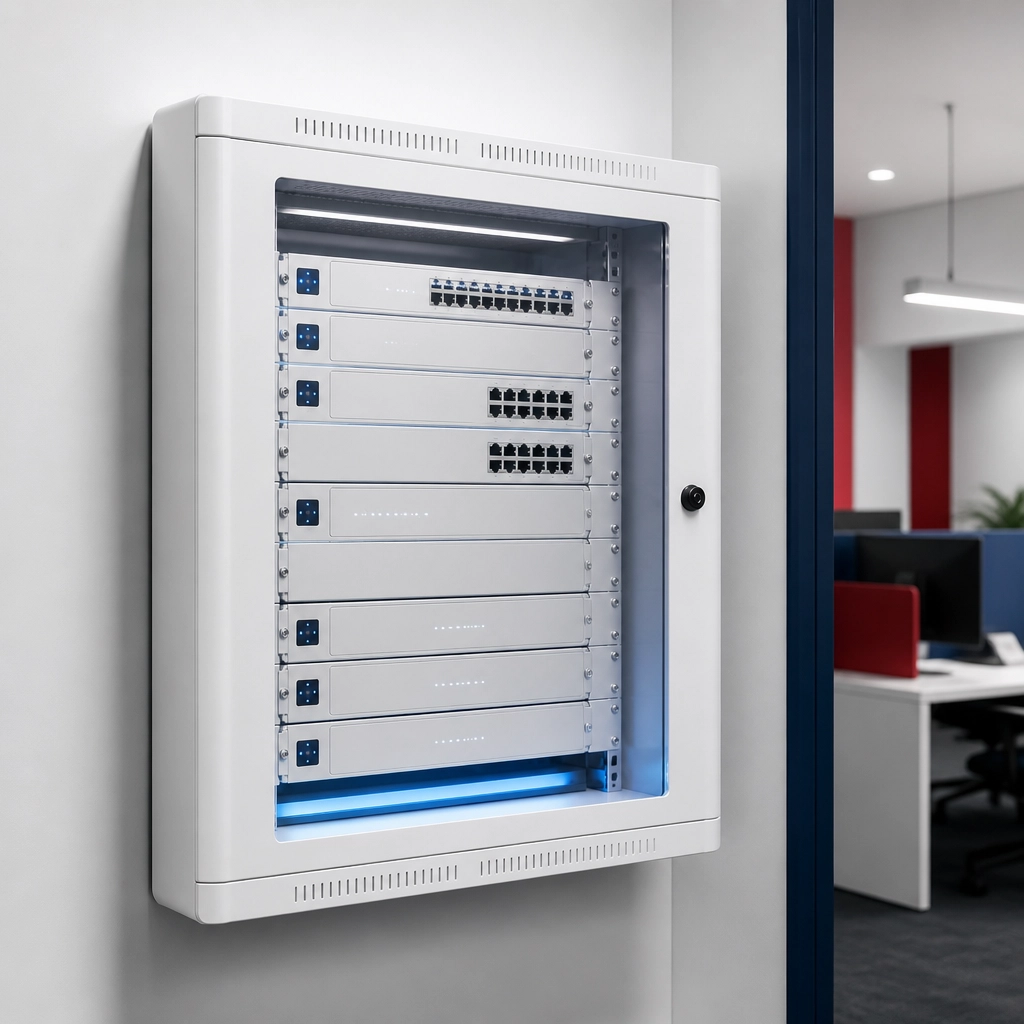
    Sleek, professional white UniFi networking hardware mounted neatly in a clean modern office.

    What are the security risks of a DIY network for insurance agents?

    The primary risk of a DIY network is the lack of proactive monitoring and professional-grade security configurations that protect sensitive client data. According to the Cybersecurity & Infrastructure Security Agency (CISA), small businesses are high-value targets for attackers, and maintaining robust security measures like MFA and continuous monitoring is critical for protection.

    A managed network provides a "hardened" environment. While a DIY router might have default settings that are easy to exploit, a managed service like ACI ensures that your firewall is correctly configured and your hardware is always up to date with the latest security patches. This level of protection is essential when you are handling the private information of hundreds of families.

    How does the State Farm stipend work for a 1–3 person office?

    State Farm provides a $200 per month stipend that is designed to be largely offset by the cost of professional managed internet services. This stipend is one per office, paid to the primary agent, and it begins only after State Farm removes its corporate office equipment from your location.

    For most 1–3 person offices, the total monthly cost for managed service typically totals about $189–$209 including their Internet Service Provider (ISP) costs. This means many agents pay less than $10 per month out of pocket after applying the stipend. It is a pragmatic, cost-effective way to get commercial-grade infrastructure without a heavy financial burden. You can when a small business actually needs managed IT to understand the full transition process.

    Managed Network vs. DIY Comparison

    Feature DIY / Big-Box Hardware ACI Managed Network
    Setup & Install You do it yourself Professional, white-glove installation
    Ongoing Maintenance You handle all updates/fixes 100% managed and monitored by ACI
    Hardware Consumer-grade plastic Commercial-grade UniFi hardware
    Security Basic, manual updates Enterprise-grade, proactive monitoring
    Support Call the ISP or Google it Direct, expert remote support
    Backup Internet Usually none 5G cellular failover available
    Total Out of Pocket Varies (Hardware + ISP) Often under $10/mo after stipend

    Does my office size change the hardware I need?

    Yes, even a small office needs commercial-grade hardware to support modern tools like AVS, video conferencing, and shared printers. State Farm's own guidance suggests that agents should consider adding a backup internet connection and a UPS for outages, features that are standard in our managed packages.

    In a 1–3 person office, you might not have a dedicated server room, but you still need high-performance WiFi that reaches every corner. We use sleek, minimalist UniFi gear that looks professional and performs reliably. All equipment is leased and maintained by us, so if a device fails, we replace it at no surprise cost to you. Check out our pricing page to see the simple, transparent options available.

    A relieved female insurance agent smiling at her desk, enjoying a productive and peaceful office.

    When is DIY actually enough for an insurance office?

    A DIY setup may be sufficient if you are a solo agent working from a home office with no staff, no shared office equipment, and very low transaction volume. In these cases, the risk of a brief outage is lower, and the complexity of the network is minimal.

    However, as soon as you have a physical office location and even one staff member, the complexity increases. You now need to manage multiple connections, secure several workstations, and ensure that your guest WiFi is isolated from your business data. At this point, the "savings" of a DIY setup are quickly eaten up by the time you spend playing IT manager instead of Agency Owner.

    What most agents end up doing.

    The majority of successful agents realize that their time is their most valuable asset. They choose to outsource their network management to a partner who understands the specific needs of a State Farm office. They want to walk in on Monday morning knowing the phones will ring, the printers will work, and the internet will be fast.

    If you are ready to remove the IT burden from your plate and maximize your State Farm stipend, the process is simple. We handle the research, the hardware, and the ongoing management forever. You can find your state's options to see if we are currently serving your area and get a custom quote for your office.

    Agent Choice Internet is a service of FollowThrough Works LLC and is not affiliated with, endorsed by, or sponsored by State Farm.

    A clean, modern small business office interior with natural lighting and an organized workspace.

    Ready to simplify your office technology?

    Stop worrying about your router and start focusing on your growth. Get started today and let us build the reliable infrastructure your agency deserves.

    Do I have to pay for the hardware upfront?
    No, all commercial-grade equipment is provided as part of your managed service lease, meaning there are no large capital outlays for hardware.

    Will my office printer still work?
    State Farm’s guidance specifies that only the 5700 and M507X LAN/shared printers are compatible with the new transition; our network supports these seamlessly.

    What happens if the internet goes out?
    We provide 5G cellular failover and battery backup options to meet State Farm’s guidance for office reliability during outages.

    Is the $200 stipend guaranteed forever?
    State Farm is currently evaluating the duration of the stipend, so it is not a permanent guarantee; our plans from $109/mo are designed to be sustainable regardless.

    Do you manage my State Farm phone service?
    No, we provide the office network infrastructure; your phone service is handled via State Farm Agent Voice Services (AVS).

    Related reading: Do You Really Need a Managed Internet Service?.

  • Managed IT vs. DIY: Which is Better for Your State Farm Office Transition?

    Managed IT vs. DIY: Which is Better for Your State Farm Office Transition?

    Managed IT for an insurance agency is a professional service where an external provider handles your entire network infrastructure, including security, hardware, and maintenance. In contrast, a DIY approach requires the agent to research, install, and troubleshoot their own internet and networking equipment. For State Farm agents transitioning to self-managed internet, this choice determines whether they focus on selling insurance or fixing routers.

    Is DIY really the "free" option for your agency?

    No, DIY is often the most expensive choice because it consumes your most valuable resource: time. While you might save on a monthly management fee, you inherit the burden of ISP negotiations, hardware configuration, and emergency troubleshooting.

    Many agents believe they can "set it and forget it" with a residential-grade router. This is a mistake. When your network goes down on a Monday morning, you are the help desk. Every hour spent on hold with a cable company is an hour you aren't growing your book of business. Transitioning your office requires more than just a Wi-Fi password; it requires a managed internet solution that ensures your State Farm systems remain accessible and secure.

    Why does State Farm suggest a backup internet connection?

    State Farm's official transition guidance recommends a backup internet connection and a Uninterruptible Power Supply (UPS) to prevent outages from halting your operations. A managed service provider includes these safeguards by default, whereas a DIY agent must source and configure them independently.

    Our platform includes 5G cellular failover and battery backup systems to meet these specific recommendations. If your primary fiber or cable line is cut, your network automatically switches to cellular data. This level of reliability is difficult to achieve and maintain without professional oversight. We handle the technical heavy lifting so you can see how it works without needing a degree in computer science.

    Minimalist commercial networking hardware displayed in a clean, cable-free professional office environment to show enterprise-grade reliability without clutter.

    Will my existing printers and phones work after the switch?

    Your desk phones will not work immediately upon switching, and only specific printer models are compatible with the new network environment. Agents must use the Jabber softphone until the State Farm Zoom Phone rollout is complete, as hard phones will not function over a standard VPN.

    Regarding hardware, only the HP LaserJet 5700 and M507X LAN/shared printers are compatible with the transitioned network. Models like the M555X, 506X, and 556DN are not supported. If you are going the DIY route, you are responsible for identifying these compatibility gaps before they cause a work stoppage. With a managed partner, these technical requirements are documented and handled for you, ensuring a seamless "plug-and-play" experience.

    Does the $200 State Farm stipend cover the full cost?

    The $200 monthly stipend is designed to largely offset your internet costs, but it is not a "free forever" guarantee. State Farm pays one stipend per office to the primary agent, and it only begins once the corporate equipment is removed.

    Our managed service pricing starts from $109/mo, which, when combined with your local ISP cost, often results in a very small out-of-pocket expense after the stipend is applied. It is important to note that State Farm is still evaluating the duration of this stipend, so it should not be considered a permanent fixture of your budget. By choosing a managed service, you lock in a transparent monthly fee that includes high-end hardware leasing and remote monitoring.

    A diverse insurance agency team working in a bright, stress-free office where technology blends into the background and supports productivity.

    What hardware is best for a professional insurance office?

    Commercial-grade hardware, such as the UniFi ecosystem from Ubiquiti, is the industry standard for small businesses that require high uptime and remote management capabilities. According to technical documentation from ui.com, UniFi platforms provide integrated security, high-capacity Wi-Fi, and the ability for remote technicians to push updates without disrupting your office.

    DIY agents often settle for consumer-grade mesh systems found at big-box retailers. These devices lack the security protocols and "self-healing" features necessary for a regulated insurance environment. We use sleek, minimalist UniFi gear that we lease to you, meaning you never have to worry about your hardware becoming obsolete or breaking. We monitor your system 24/7 and handle all firmware updates remotely.

    How do I get started with the transition?

    The first step is to get started by researching the available Internet Service Providers (ISPs) at your specific office location. We take over this process by comparing fiber and cable options to find the best speed and price for your agency.

    You must be enrolled in State Farm Agent Voice Services (AVS) to participate in the transition program. Once you are ready, we ship pre-configured hardware to your office and manage the installation. This ensures your new network is live and tested before State Farm removes their legacy equipment. You can see coverage by state to find the specific options available in your region.

    A professional insurance agent in a modern office enjoying the peace of mind that comes from a fully managed office network.

    The Bottom Line: Effort vs. Efficiency

    The choice between Managed IT and DIY is a choice between being a technician or being an agent. A DIY approach saves a small amount of cash today but creates a massive liability for tomorrow. A managed service removes the IT burden entirely, providing a professional-grade network that supports your security cameras, conferencing, and AI tools without a single headache.

    We provide white-glove, end-to-end service. We research the ISPs, install the commercial hardware, and manage the network forever for a predictable fee. If you value your time and want the peace of mind that comes from a "done-for-you" solution, managed IT is the only logical choice for your State Farm office transition.

    A clean, high-end insurance agency reception area in a navy blue and white palette, showing the polished environment a managed network can support.

    When does the $200 State Farm stipend start?
    The stipend begins only after State Farm removes its corporate equipment from your office, not at the moment you sign up for your own service.

    Will my current desk phones work on the new network?
    No, desk phones will not work initially; you will use the Jabber softphone until the State Farm Zoom Phone rollout, as hard phones do not work over VPN.

    Do I have to buy my own networking equipment?
    With Agent Choice Internet, all hardware is leased and maintained by us, so there are no large upfront costs for equipment and no maintenance hassles.

    Which printers are compatible with the new transition?
    Only the HP LaserJet 5700 and M507X LAN/shared printers are compatible; other models like the M555X or 506X will not work on the shared network.

    Is the State Farm stipend permanent?
    No, State Farm has stated that the duration of the $200 monthly stipend is still being evaluated and is not a guaranteed permanent payment.

    Related reading: How to Choose the Best Business Internet Service Provider for Your State Farm Office and Consumer Routers vs. UniFi Managed Wi-Fi: Which Is Better For Your Agency?.

  • Is the $60/mo Comcast Business Bundle Enough for a State Farm Agent Office?

    Is the $60/mo Comcast Business Bundle Enough for a State Farm Agent Office?

    For a small State Farm agency, a $60/mo Comcast Business bundle is sufficient only if you are a solo agent with no staff and minimal reliance on advanced voice or backup services. However, most modern agencies find this basic bundle insufficient because it lacks the managed infrastructure, professional security, and reliable failover required to support multiple staff members, Zoom Phone transitions, and the constant uptime that State Farm’s new self-managed internet model demands.

    As an insurance agent, you are moving from a corporate-managed environment to one where the burden of IT falls squarely on your shoulders. The $60/mo entry-level offer from a major Internet Service Provider (ISP) often looks like a bargain on paper. But as your agency scales, that "bargain" can quickly become a bottleneck for your productivity.

    In this guide, we will break down exactly what you get for $60, where it falls short for an active State Farm office, and how to maximize your agency stipend to build a network that actually works for you.

    When is a $60/mo Comcast bundle actually enough for my office?

    A $60/mo Comcast Business bundle is usually enough for a solo agent or a very small team of two who primarily use the internet for basic web browsing, email, and simple cloud-based quoting. If you are in a temporary office space or just starting out and have zero intention of adding more staff in the next 12 months, this basic connection provides a reliable baseline.

    These bundles typically offer speeds around 300 Mbps, which is more than enough for a single person to run a few browser tabs and a video call simultaneously. For the agent who is comfortable being their own IT person, rebooting the modem when it freezes, managing their own Wi-Fi passwords, and handling their own network security, this is the most cost-effective entry point.

    However, fairness dictates we mention the "catch." This $60 price point almost always requires a multi-year contract and enrollment in auto-pay and paperless billing. Furthermore, the price is often a 12-month promotional rate. According to common ISP pricing structures, that $60 bill can jump to $100 or even $140 per month after the first year. If your goal is long-term stability, you must factor in these scheduled price hikes.

    Close-up shot of a sleek, minimalist white commercial-grade Wi-Fi access point mounted on a clean white office wall.

    Where does the $60 bundle stop working for a State Farm agent?

    The $60 bundle stops being effective the moment you add a third staff member or transition to a digital phone system like Zoom Phone. While 300 Mbps is plenty of speed for downloads, these basic bundles often have very low upload speeds. In a professional insurance environment, upload speed is what determines the quality of your video conferencing and the speed at which you can upload large policy documents or photos to the cloud.

    When multiple staff members are quoting, uploading documents, and taking VoIP calls at the same time, a consumer-grade or basic business bundle can struggle with "jitter" and "latency." This results in dropped calls, frozen video, and frustrated customers.

    Additionally, a standard ISP bundle provides "best-effort" support. If your internet goes down at 10:00 AM on a Monday, you are at the mercy of the ISP’s standard technician schedule. For an agent, four hours of downtime isn't just an inconvenience; it’s a total loss of revenue and service capability.

    Comparison: Basic ISP Bundle vs. Managed Internet Solution

    Feature Basic $60 ISP Bundle Managed Internet (ACI)
    Hardware ISP-provided modem/router Commercial-grade UniFi hardware
    Network Management You (DIY) 24/7 Proactive Remote Management
    Security Basic software filter Enterprise-grade Firewall & VLANs
    Backup/Failover None (Internet goes out, you're off) 5G Cellular Failover Included
    Support Call a 1-800 number Direct, white-glove support team
    Stipend Optimization Leaves $140 unused Designed to maximize the $200 stipend

    Does the $200 State Farm stipend cover these costs?

    State Farm’s guidance to agents includes a $200/mo stipend intended to help offset the cost of transitioning to your own office internet. This stipend is one per office, paid to the primary agent, and it only begins once State Farm removes its corporate office equipment from your location. It is important to note that State Farm has stated the duration of this stipend is still being evaluated, so it should not be considered a permanent or "forever" benefit.

    If you choose a $60/mo bundle, you are essentially leaving $140 on the table each month while still being responsible for your own IT troubleshooting. Most agents we work with prefer to use the full value of the stipend to ensure they never have to think about their network again.

    For example, most 1-3 person offices total about $189–$209/mo including their ISP, with plans from $109/mo for smaller offices. When you apply the $200 stipend, these agents often pay under $10/mo out of pocket for a fully managed, commercial-grade network.

    A professional office setting featuring two agents working collaboratively in a modern, bright workspace.

    How does a managed network differ from a standard Comcast bundle?

    A managed network is a "done-for-you" infrastructure where the hardware, security, and maintenance are handled by experts. While a Comcast bundle gives you a "pipe" to the internet, a managed service like our network solutions builds a fortress inside your office.

    We install commercial-grade hardware (specifically sleek UniFi gear) that is built to handle the heavy traffic of a busy agency. More importantly, we manage the network remotely. If an access point goes offline or a security threat is detected, we often fix the issue before you or your staff even notice something was wrong.

    This is a significant shift from the "fix-it-when-it-breaks" model of a standard ISP bundle. With a managed service, your equipment is leased and maintained by us, meaning no surprise hardware costs when a router dies three years from now.

    What hardware do I need to stay compliant with State Farm’s guidance?

    State Farm’s own guidance tells agents to consider adding a backup internet connection and a Uninterruptible Power Supply (UPS) to prevent outages. A standard $60 bundle does not include these items. If the power flickers or a construction crew cuts a fiber line down the street, your office goes dark.

    To meet this guidance, you need:

    1. Commercial-grade Firewall: To handle State Farm Agent Voice Services (AVS) and future Zoom Phone requirements.
    2. 5G Cellular Failover: A secondary connection that kicks in automatically if your primary ISP fails.
    3. Battery Backup (UPS): To keep your equipment running during short power flickers.
    4. Compatible Printers: Per State Farm guidance, only the 5700 and M507X LAN/shared printers are compatible with the new network setups. (Note: ACI provides the network, but State Farm handles printer replacement).

    The Federal Communications Commission (FCC) notes that for a small business with multiple users, higher-tier "Advanced" service is often necessary to support simultaneous high-demand applications like VoIP and cloud-based management systems.

    A clean, professional office corner showing a small, sleek battery backup unit (UPS) placed neatly under a modern white desk.

    Will my phones and printers still work with a $60 bundle?

    This is where many agents face the most frustration. When you switch to your own internet, your desk/hard phones will not work at first. State Farm’s current guidance is for agents to use a softphone (Jabber) until the official Zoom Phone rollout is complete. Hard phones also will not work over a standard VPN.

    If you set up a basic $60 Comcast bundle yourself, you are responsible for ensuring your network settings allow Jabber and Zoom to function without lag. If you encounter "one-way audio" or dropped calls, Comcast support will likely tell you it is a software issue, and State Farm support will tell you it is an ISP issue.

    When you use a managed internet service, we handle the network configuration specifically to support these voice services. We ensure the "Quality of Service" (QoS) settings are prioritized so your phone calls always take precedence over someone downloading a large PDF.

    What most State Farm agents end up doing

    While the $60/mo bundle is tempting for its low price, most agents quickly realize that the time they spend troubleshooting their own Wi-Fi or dealing with ISP call centers is worth far more than the $140 they are "saving."

    Successful agents are choosing to maximize their $200 stipend to get a "hands-off" experience. They want a network that is installed professionally, monitored 24/7, and backed up by cellular failover so they never miss a lead due to a technical glitch.

    If you want to skip the trial-and-error phase, you can get started with a managed setup and see what the process looks like for your office. You can also find your state's options and see how we can build a setup that fits your office size perfectly.

    Agent Choice Internet is a service of FollowThrough Works LLC and is not affiliated with, endorsed by, or sponsored by State Farm.

    A bright, modern office interior with a diverse group of three professionals engaged in a meeting in a glass-walled conference room.

    Ready to stop playing IT manager and get back to selling?
    See our pricing plans and get started today.


    Is the $60 Comcast bundle enough for a State Farm office with 4 staff members?
    Generally, no. A 4-person office needs more upload bandwidth and proactive management to support simultaneous quoting, VoIP calls, and cloud usage without slowing down.

    Does the $200 State Farm stipend cover the cost of managed internet?
    Yes, in many cases. Most 1-3 person offices pay about $189–$209/mo for their total setup, meaning the $200 stipend covers nearly the entire monthly cost of a managed solution.

    Will my ISP help me set up my State Farm printers?
    No. ISPs like Comcast only provide the internet connection to your modem; they do not assist with office equipment like printers or specific agency software settings.

    What happens if the $60 bundle internet goes out?
    With a standard bundle, you have no backup. Your office is offline until the ISP sends a technician, which can take hours or even days. Managed solutions include 5G cellular failover to prevent this.

    Do I need to be tech-savvy to manage my own office network?
    If you use a basic ISP bundle, yes: you are the IT person. If you use Agent Choice Internet, we handle everything remotely so you don’t have to be technical at all.


    Related reading: How to Choose the Best Business Internet Service Provider for Your State Farm Office and State Farm Agent IT Infrastructure Starts at the Router.

  • Looking for Backup Internet? 5 Things Every State Farm Agent Should Know About 5G Failover

    Looking for Backup Internet? 5 Things Every State Farm Agent Should Know About 5G Failover

    By Dylan Banks

    Managed internet for an insurance agency is a specialized networking service where a third-party provider handles the installation, security, and maintenance of your office's connection. It ensures your agency remains online by using redundant hardware and secondary connections, such as 5G cellular failover, to prevent any disruption to your sales and service operations.

    As a State Farm agent transitioning to your own internet, you are moving from a corporate-managed "black box" to the role of an independent IT manager. This shift brings freedom, but it also brings responsibility. State Farm’s official guidance for this transition (as of June 2026) is clear: agents should actively consider a backup internet connection and a Uninterruptible Power Supply (UPS) for their offices.

    At Agent Choice Internet (ACI), we don’t just agree with that guidance, we built our entire platform to satisfy it. We handle the research, the hardware, and the monitoring so you can focus on writing business.

    Why does State Farm recommend backup internet?

    State Farm identifies backup internet as a critical component of agency continuity because your systems, phones, and quoting tools now depend entirely on your local office network. Without a secondary connection, a simple fiber cut or a local ISP outage can paralyze your entire team.

    1. The Reality of the $200 Stipend

    State Farm provides a $200 monthly stipend to the primary agent of each office to help offset the cost of your transition. However, it is vital to understand the mechanics of this payment. The stipend begins only after State Farm removes its corporate equipment from your office, not the day you sign your new ISP contract.

    Furthermore, State Farm has noted that the duration of this stipend is still being evaluated. It is not a permanent, lifetime guarantee. Our managed internet pricing is designed with this in mind, offering plans from $109/mo that fit comfortably within that $200 budget. This ensures that even if the stipend changes in the future, your overhead remains manageable.

    2. 5G Failover: Your Digital Safety Net

    What happens when your primary fiber or cable line goes down? If you are running a standard residential-grade connection, your office goes dark. 5G failover is a technology that automatically switches your office network to a high-speed cellular connection the moment your main line fails.

    This transition is seamless. Your team won't even realize the primary internet is down. According to the Cybersecurity and Infrastructure Security Agency (CISA), business continuity plans must include redundant communications to avoid operational paralysis during a local infrastructure failure. Our commercial-grade hardware includes an integrated 5G radio that stands ready 24/7.

    Minimalist managed network hardware and compact UPS on a clean office shelf, showing the tidy commercial-grade setup that supports backup internet and battery protection.

    Does a UPS actually protect my sales?

    Yes, a UPS (Uninterruptible Power Supply) keeps your critical networking gear running during brief power flickers or outages, preventing your systems from rebooting and dropping active calls. It bridges the gap between a power failure and your backup systems taking over.

    3. Protecting the Modern "Phone" System

    Under the new transition rules, you must be enrolled in State Farm Agent Voice Services (AVS). Most agents already are, but the way you use those phones is changing. Initially, your desk phones will not work over the new connection. You will rely on softphones like Jabber until the Zoom Phone rollout reaches your office.

    Because these phones run through your network, not a traditional phone line, any loss of power to your router means you lose the ability to speak with customers. A UPS ensures that even if the lights go out, your router and 5G failover unit stay powered. This allows your team to continue using their laptops or mobile devices to handle claims and quotes without a second of downtime. You can see coverage by state to find the best options for your specific region.

    4. Printer and Hardware Compatibility

    Transitioning your internet isn't just about the "pipe" coming into the wall; it’s about everything connected to it. State Farm guidance specifies that only certain LAN/shared printers are compatible with the new environment, specifically the HP 5700 and M507X models.

    Older models like the M555X or 506X will not work on the shared network. While ACI provides the robust office network solutions needed to support these devices, State Farm remains responsible for the hardware replacement of the printers themselves. Our role is to ensure that the moment that printer is plugged in, it has a secure, stable, and managed path to the cloud.

    Diverse insurance agency team meeting in a bright modern conference room with clean professional design, illustrating a productive office supported by reliable connectivity.

    How does ACI make this transition "hands-off"?

    We provide a white-glove, end-to-end service that includes researching ISPs, installing commercial-grade UniFi hardware, and providing 24/7 remote monitoring for a transparent monthly fee. You don't have to be an IT expert because we handle every technical detail for you.

    5. The Peace of Mind of Professional Management

    Many agents attempt to "DIY" their internet by going to a local big-box store and buying consumer-grade routers. This creates a hidden IT burden. When the internet goes down, you become the support tech. You spend hours on hold with the ISP instead of coaching your team or meeting with high-value clients.

    ACI removes this burden entirely. We lease and maintain all the equipment. If there is a firmware update or a security patch, we push it remotely. If your primary ISP goes down, we know before you do because our monitoring alerts us the second your 5G failover kicks in. This is how our managed internet works: we manage the technology so it "disappears" into the background of your daily operations.

    Get Started with Confidence

    The transition away from corporate-managed internet is a significant milestone for your agency. It is an opportunity to build a faster, more reliable, and more secure infrastructure that supports modern tools like Zoom Phone and high-def video conferencing.

    By following State Farm’s guidance and implementing a 5G failover with a professional UPS, you are not just checking a compliance box, you are protecting your revenue. Get started today and let us take the "IT" out of your daily to-do list.

    Spacious agency reception area with navy and white decor and subtle red accents, showing a calm professional office environment where technology stays in the background.

    Do I need to buy my own 5G backup plan?
    No. Agent Choice Internet provides the 5G cellular failover hardware and the data plan as part of our fully managed service. You don’t need to manage a separate bill or carrier relationship.

    Will my current State Farm desk phone work immediately?
    No. Per State Farm guidance, hard phones will not work initially over the new connection. Your team will use softphones (like Jabber) until the Zoom Phone rollout is complete in your office.

    Is the $200 stipend permanent?
    State Farm has stated that the duration of the stipend is still being evaluated. It is not currently described as a permanent or lifetime payment, which is why we offer plans starting from $109/mo to ensure long-term affordability.

    Can I keep my existing office printer?
    Only specific models like the HP 5700 and M507X are compatible with the LAN/shared network transition. Other models like the M555X or 556DN are not supported for shared use, though USB printers may work for single workstations.

    Does ACI provide the UPS battery backup?
    Yes. We include a battery backup (UPS) as part of our managed hardware stack to ensure your network gear stays online during power fluctuations, meeting State Farm’s official recommendations.

    Related reading: State Farm Slows AIPP Phase-Out: What Agents Need to Know About the Latest Contract Updates and How to Choose the Best Business Internet Service Provider for Your State Farm Office.

  • Do You Really Need Managed IT Services for a Small Business? Here’s the Truth

    Do You Really Need Managed IT Services for a Small Business? Here’s the Truth

    Managed IT services for a small business provide an external team to handle your technology infrastructure, security, and maintenance so you can focus on daily operations. For an insurance agency, this specifically means your internet, Wi-Fi, and network security are managed by experts rather than you or your staff.

    By Dylan Banks

    You didn’t open an insurance agency to become an IT director. You opened it to protect families, grow your book of business, and lead a team. Yet, as State Farm agents move from corporate-managed internet to self-managed solutions, many find themselves drowning in technical jargon, messy cable closets, and unreliable Wi-Fi.

    The transition to independent internet is a massive opportunity to upgrade your office experience, but it comes with a hidden cost: your time. If you are spending your Monday mornings rebooting routers instead of reviewing policies, you have a problem.

    The truth is that most small businesses, especially data-sensitive ones like insurance agencies, do not just need "internet." They need managed internet for insurance agents that works every time, without fail.

    Why do insurance agents need managed internet?

    Managed internet provides a professional-grade network that is monitored, updated, and secured by experts, ensuring your agency stays online and compliant without your intervention.

    When you manage your own internet, you are the help desk. If the Wi-Fi drops during a customer presentation, you are the one crawling under the desk to check cables. If a security patch needs to be installed on your router, it’s on your to-do list.

    Managed internet removes this entire category of stress. At Agent Choice Internet, we handle the initial research and ISP comparison, the hardware installation, and the ongoing maintenance. We don’t just give you a box and a bill; we give you a dedicated network team.

    How does managed IT impact agency network management?

    Effective agency network management ensures that your office bandwidth is optimized for VoIP calls, video conferencing, and secure data transfers while keeping unauthorized users off your private systems.

    Standard residential or "business-lite" routers provided by local ISPs are not built for the demands of a modern insurance office. They often struggle to handle multiple simultaneous video calls or the high volume of traffic generated by modern agency management systems.

    By implementing specialized solutions, we utilize commercial-grade UniFi hardware. This equipment allows for sophisticated agency network management, such as:

    • Prioritizing voice traffic so your phone calls never drop.
    • Creating isolated guest Wi-Fi networks so clients can’t access your internal data.
    • Integrating security cameras and access control into a single, managed platform.

    High-end insurance office consultation area with an African American male agent reviewing documents on a laptop, showing a minimalist tech setup that feels calm and uncluttered.

    The Truth About Compliance and Security

    Insurance agencies handle sensitive Personal Identifiable Information (PII) and Protected Health Information (PHI). This makes you a prime target for cybercriminals. According to the NIST Small Business Cybersecurity Corner, small firms should follow a structure of six functions: Govern, Identify, Protect, Detect, Respond, and Recover.

    Most agents only think about "Protecting" (having a password), but they forget about "Detecting" or "Responding." Managed IT services ensure that your State Farm agent IT infrastructure is built to these standards. We monitor your network for unusual activity and ensure your firmware is always up to date. You aren't just buying internet; you are buying a defensive perimeter for your business.

    Can you use your State Farm stipend for managed IT?

    Yes, the State Farm internet stipend can be applied toward the cost of a managed service, and with Agent Choice Internet, most agents find their out-of-pocket cost is less than $20 per month.

    One of the biggest misconceptions is that managed services are too expensive for a small office. However, when you look at the pricing model, it’s a pragmatic business decision.

    Instead of buying expensive hardware upfront, which will be obsolete in three years, you lease a high-end system from us. We manage it forever. When you factor in the monthly stipend, the "hassle-free" version of your internet often costs the same as the "do-it-yourself" version.

    High-end insurance agency conference room with an African American male agent collaborating in a bright, airy setting with clean, seamless technology.

    What makes Agent Choice Internet different from a standard ISP?

    We are a service layer that sits on top of your ISP, acting as your dedicated IT department to ensure your hardware and connection are always performing at their peak.

    A typical ISP (like Comcast or AT&T) is responsible for the wire coming into your building. If your Wi-Fi is slow in the back office, they won't help you. If your printer won't connect to the network, they won't help you.

    We bridge that gap. We handle the ISP management for you. If the internet goes down, we are often calling the ISP to fix it before you even notice there’s an issue. We provide the "white-glove" experience that busy agents deserve.

    The UniFi Advantage

    We exclusively use UniFi hardware for our installations. Why? Because it is the gold standard for high-performance, manageable networking. It allows us to:

    1. Remote Monitor: We see the health of your network in real-time from our office.
    2. Auto-Update: Security patches are pushed automatically overnight.
    3. Scale Easily: If you open a second or third office, your network experience remains identical across all locations.

    High-end minimalist private insurance office with an African American male agent on a clear business call at a tidy desk, highlighting reliable managed technology without visible clutter.

    The Bottom Line

    Do you need managed IT? If you are a solo agent with one computer and no employees, you might be able to get by with a basic setup. But if you are running a professional agency with a team, VoIP phones, and a reputation to protect, the answer is a definitive yes.

    The "truth" is that DIY IT is a trap. It saves you a few dollars a month but costs you hours of productivity and increases your risk of a security breach.

    Stop being the IT guy. Be the Agent. Let us handle the rest.

    Get started today and see how easy your office network can be.

    Is managed internet more expensive than a regular business plan?
    When you utilize your State Farm stipend and consider that all hardware and maintenance are included, most agents pay less than $20 out of pocket per month.

    Do I have to buy my own routers and access points?
    No, we provide all commercial-grade UniFi hardware as part of your service fee, and we replace it if it ever fails or becomes outdated.

    Can you help if my internet is already slow?
    Yes, we research the best available providers in your area and pair them with superior hardware to eliminate dead zones and lag.

    What happens if the internet goes out?
    We monitor your connection remotely; if it goes down, we often begin troubleshooting with the ISP before you even have to call us.

    Is this service available for multi-office agents?
    Absolutely, we specialize in creating a seamless network experience across multiple locations so you can manage your entire agency from one dashboard.

    Related reading: Do You Really Need a Managed Internet Service? and Do I Really Need a Managed Network for a 1–3 Person Insurance Office?.

  • The State Farm Agent’s Guide to Choosing a Managed Network Services Provider

    The State Farm Agent’s Guide to Choosing a Managed Network Services Provider

    A Managed Network Services Provider (MNSP) for an insurance agency is a third-party partner that designs, installs, and remotely manages your office's entire internet and network infrastructure. This service ensures your agency remains compliant with corporate security standards while providing professional-grade connectivity for your team and clients.

    As a State Farm agent, you are an independent contractor transitioning into a world where you own your technology stack. You are no longer tethered to a corporate-mandated "one-size-fits-all" internet plan. While this freedom is liberating, it also places the burden of IT security and network reliability squarely on your shoulders.

    Choosing the right MNSP is the difference between a seamless, high-speed office and a day lost to "no internet" signs on your front door. This guide breaks down exactly what you need to look for to keep your office running and your stipend working for you.

    What is an MNSP and why do you need one?

    An MNSP is a dedicated team that handles your router, switches, Wi-Fi access points, and security firewalls so you don't have to. You need one because modern insurance agencies rely on high-bandwidth VoIP calls, cloud-based CRM systems, and strict data security protocols that standard residential internet cannot support.

    When you move to self-managed internet, you aren't just buying a box from a local ISP. You are building a secure gateway for sensitive client data. According to CISA.gov, small businesses are increasingly targeted by cyber threats, making a managed, secure firewall your first and most important line of defense.

    An MNSP takes the "IT guy" role off your plate. They monitor your network 24/7, push security updates remotely, and ensure your hardware is always up to date. This "white-glove" service allows you to focus on selling policies rather than troubleshooting a flickering router.

    How does the State Farm stipend work with an MNSP?

    The State Farm MNSP stipend is a monthly credit or allowance provided to agents to offset the cost of professional network management and compliant hardware. Most agents can find a managed service plan that leaves them paying less than $20 per month out of pocket after the stipend is applied.

    Maximizing this stipend is a matter of pragmatic logic. Why pay for a consumer-grade router out of your own pocket when you can use your stipend to lease commercial-grade hardware? At Agent Choice Internet, we structure our pricing specifically to fit within these corporate allowances.

    We handle the heavy lifting of researching ISPs and comparing costs. We ensure your total bill, including the underlying internet service and our managed hardware, is optimized to keep your out-of-pocket costs at a bare minimum.

    A close-up of sleek commercial-grade networking hardware in a bright office alcove with an older Caucasian male agent with grey hair softly in the background and clean cable management, showing the minimalist tech standard of a managed agency network.

    What hardware should a provider use for your agency?

    A professional MNSP should use commercial-grade hardware, such as the UniFi platform from Ubiquiti, which supports high-density Wi-Fi, integrated security cameras, and remote management. Consumer-grade gear from big-box stores lacks the stability and security features required for a multi-user insurance office.

    Reliability isn't just a buzzword; it’s a technical requirement. Ubiquiti's UniFi platform is the industry standard for small to medium businesses because it offers a "single pane of glass" management style. This means your MNSP can see exactly what is happening in your office, from a port that’s gone offline to a spike in bandwidth, and fix it before your staff even notices a slowdown.

    We believe in a "no surprises" hardware model. All equipment is leased and maintained by us. If a piece of hardware fails, we replace it. No hidden fees, no "out of warranty" headaches, and no messy cable nests in your utility closet.

    Why is remote management a "must-have" feature?

    Remote management is a service where your provider monitors your network health and applies security patches from a central location without needing to visit your office. This feature ensures your network is always secure and performing at its peak without interrupting your daily business operations.

    Think about the last time your internet went down. You likely spent an hour on hold with a generic ISP, only to be told to "unplug the router." With a managed service, we often know your internet is down before you do. We can verify if the issue is with the local ISP or the internal hardware and begin the fix immediately.

    Our solutions are built for the multi-office agent. Whether you are in the office or at a community event, you can trust that your network is being watched, updated, and protected.

    A bright boutique insurance office with an older Caucasian male agent with grey hair focused at a modern dual-monitor workstation, showing the productivity and calm that come from reliable managed internet.

    How do you transition from corporate to managed internet?

    The transition involves a three-step process: researching local ISP options, installing commercial-grade hardware, and migrating your office devices to the new, secure network. We handle every step of this process to ensure there is zero downtime for your agency.

    1. The Research Phase: We look at every provider in your area, fiber, cable, and high-speed DSL, to find the best speed for your budget.
    2. The Installation Phase: We ship and install the UniFi hardware, including high-speed switches and Wi-Fi access points designed for office-wide coverage.
    3. The Management Phase: Once you are live, we monitor your network forever. We handle the updates, the security, and the troubleshooting.

    You can learn more about our how it works page. We’ve refined this process to be a "plug-and-play" experience for the agent. You tell us where your office is; we do the rest.

    What happens if the internet goes down?

    If your primary internet connection fails, a high-quality MNSP provides an automated "failover" system that switches your network to a secondary connection, such as LTE or a second ISP. This redundancy ensures your VoIP phones and carrier systems stay online even during a local outage.

    In the insurance world, being offline means missing leads and failing to service existing clients. It’s unacceptable. We design our systems with this reality in mind. By providing a commercial-grade platform, we give you the same level of reliability that large corporate headquarters enjoy, but at a price point that fits a small business budget.

    A spacious modern insurance office lounge with an older Caucasian male agent with grey hair reviewing work confidently near neatly installed enterprise networking hardware, showing a clean and stress-free managed office environment.

    Ready to stop worrying about your office IT?

    You didn't become an insurance agent to spend your weekends crimping ethernet cables or arguing with ISP tech support. You became an agent to protect your community and grow your business.

    Choosing Agent Choice Internet means choosing a partner who understands the specific needs of State Farm agents. We provide the white-glove service you deserve, the security your clients demand, and the pricing that protects your bottom line.

    Don't let your technology be a burden. Let it be the invisible engine that drives your success.

    Get started today and let us handle your network for good.

    What is an MNSP?
    An MNSP is a Managed Network Service Provider that handles the installation, security, and ongoing management of your office’s internet and hardware.

    Will the State Farm stipend cover the cost?
    In most cases, yes. Our services are designed to maximize your stipend, often leaving agents with an out-of-pocket cost of less than $20 per month.

    Do I have to buy the hardware?
    No. All commercial-grade hardware is leased and maintained by Agent Choice Internet as part of your monthly service fee.

    Can I keep my current ISP?
    We will research all available ISPs in your area to ensure you have the best possible connection. If your current ISP is the best option, we will work with them; if not, we’ll help you switch.

    What happens if a device breaks?
    Since all equipment is leased from us, we provide full maintenance and replacement. If a router or access point fails, we replace it at no additional cost to you.

    Related reading: Business Internet Service Provider Guide for State Farm Agents and Managed Network Services Provider for Insurance Offices.

  • VoIP Quality Secrets Revealed: What Most Internet Providers Don’t Want You to Know

    VoIP Quality Secrets Revealed: What Most Internet Providers Don’t Want You to Know

    VoIP quality for an insurance agency is the measure of how clear, stable, and reliable your voice calls are over an internet connection. It is determined by the consistency of your network traffic, specifically focusing on low latency and minimal jitter rather than just raw download speed. If your network is not configured to prioritize voice packets, even the fastest "Gigabit" connection will result in dropped calls and robotic audio.

    As a State Farm agent, your phone is your lifeline If dropped calls are just one symptom of a bigger phone problem, see our related guide: Death to the 800 Number: Why Your Agency Needs a Direct Line to IT.. When a client calls to report a claim or ask for a quote, the last thing you need is a "can you hear me now?" moment. Most Internet Service Providers (ISPs) sell you on speed, 300 Mbps, 500 Mbps, or the coveted 1 Gbps. They hope you don’t ask about the technical metrics that actually matter for your phones.

    I’m Dylan Banks, and I’m going to show you what your ISP isn't telling you. We’re going to look at the metrics that actually drive call quality and why your current "fast" internet might be failing you.

    What is the secret to high-quality VoIP?

    The secret to high-quality VoIP is prioritizing network stability and packet timing over raw bandwidth. While high speeds are great for downloading large files, voice calls only require about 100 kbps of bandwidth; they demand that those small bits of data arrive in a perfect, rhythmic sequence without delay.

    Most agents assume that if their internet is fast enough to stream 4K video, it’s fast enough for a clear phone call. This is a myth. Streaming video uses "buffering", your computer downloads the next few minutes of the show in advance. If the connection hiccups for a second, you never notice.

    VoIP is real-time. There is no buffer. If a voice packet is delayed by even a fraction of a second, it’s useless. The result? "Robotic" voices, words cutting out, or calls dropping entirely. To fix this, you need a network that understands the difference between a YouTube video and a client call.

    Why does my "Gigabit" internet still have choppy calls?

    Choppy calls occur on fast connections because of high jitter and latency, which represent the "traffic jams" and "detours" your data takes on the way to your VoIP provider. A 1,000 Mbps connection with high jitter will always sound worse than a stable 50 Mbps connection with low latency.

    Male insurance agent of Asian descent with light features using a professional headset in a bright, modern agency office with clean surfaces and seamless technology, showing reliable communication without tech clutter.

    There are three metrics you need to watch:

    • Latency: The time it takes for data to travel from your office to the server and back. According to industry standards, anything over 150ms starts to feel like a satellite call with awkward pauses.
    • Jitter: This is the variation in that delay. If one packet takes 20ms and the next takes 100ms, your phone can't reassemble the audio smoothly. You want jitter to stay under 30ms.
    • Packet Loss: This is when bits of data simply disappear. Even 1% packet loss can make a conversation frustrating.

    ISPs rarely guarantee these numbers in their marketing. They promise "up to" a certain speed, but they don't promise that your packets will arrive on time. At Agent Choice Internet, we look at how it works by monitoring these metrics 24/7. We don't just care that your internet is "on"; we care that it's performing.

    Can QoS (Quality of Service) fix a bad internet connection?

    Quality of Service (QoS) cannot fix a fundamentally broken or oversubscribed internet circuit, but it is essential for managing how your local hardware handles competing traffic. It acts as a "HOV lane" for your voice packets, ensuring they jump to the front of the line ahead of less important data like software updates or cloud backups.

    If you have a cheap, consumer-grade router, it treats all traffic the same. When your assistant starts uploading a large batch of photos to a claim file, the router treats those photos with the same priority as your active phone call. The result is "bufferbloat," where your voice packets get stuck behind the photo upload.

    With our managed solutions, we use enterprise-grade UniFi hardware that supports advanced QoS features. We configure your network to recognize voice traffic and give it absolute priority. This ensures that even if the office is busy, your phones stay crystal clear.

    How can I ensure my agency’s phones never drop?

    You can ensure reliable phone service by using wired Ethernet connections for all desk phones, selecting an ISP with a solid Service Level Agreement (SLA), and utilizing managed hardware that monitors network health in real-time. Relying on office Wi-Fi for VoIP is the most common cause of avoidable call quality issues.

    Commercial-grade network hardware neatly installed in a clean, minimalist office setup with no visible cable clutter, showing the polished infrastructure behind managed VoIP performance.

    Here is a simple, 3-step checklist to stabilize your office phones:

    1. Kill the Wi-Fi Dependency: Wi-Fi is prone to interference from microwaves, neighboring offices, and physical walls. This creates massive jitter. Always plug your phones into a physical wall jack.
    2. Monitor Your Circuit: Don't take the ISP's word for it. We use remote monitoring tools to track your connection's health. If your latency spikes every day at 3:00 PM, we have the data to hold the ISP accountable.
    3. Check for Compliance: The FCC requires interconnected VoIP providers to meet specific 911 and consumer protection standards. Make sure your network setup doesn't interfere with these critical safety features.

    Why Managed Hardware is the Game Changer

    Most State Farm agents are busy selling policies and managing teams. They don't have time to log into a router to check for "packet tagging" or "DSCP markings." This is why a "done-for-you" model is the only way to go.

    When you look at our pricing, you’ll see that we include all the hardware. We don't just ship you a box; we install it, configure it specifically for VoIP, and manage it forever. If your phone quality dips, our team likely already knows it and is working with the ISP to resolve it before you even notice.

    We use UniFi’s "Smart Queues" and specialized traffic shaping to prevent any single device in your office from hogging the bandwidth. It’s about creating a balanced environment where the most important tasks, your calls, always have the resources they need.

    The Bottom Line for State Farm Agents

    You shouldn't have to be an IT expert to have clear phone calls. You shouldn't have to argue with your ISP about why your "Gigabit" internet is failing your VoIP system.

    Stop settling for "best effort" internet. Transition to a network that is built specifically for the needs of a modern insurance agency. We handle the ISP research, the hardware installation, and the ongoing management so you can get back to what you do best: protecting your clients.

    Ready to fix your phones for good? Get started today and let us take the IT burden off your plate.

    Male insurance agent of Asian descent with light features working at dual monitors in a bright, spacious office with minimalist integrated technology and no visible cable mess, showing a calm and productive managed workspace.

    What is Jitter and how does it affect my VoIP calls?
    Jitter is the variation in the time it takes for data packets to arrive; high jitter causes robotic voices and audio dropouts because the phone cannot reassemble the sound smoothly.

    Is 100 Mbps enough for a 10-person office?
    Yes, 100 Mbps is more than enough bandwidth for VoIP, as each call only uses about 0.1 Mbps; however, the connection must be stable and prioritized using QoS to ensure quality.

    Why shouldn’t I use Wi-Fi for my office desk phones?
    Wi-Fi is susceptible to radio interference and physical obstructions, which creates inconsistent packet delivery (jitter) that ruins VoIP call quality.

    Does Agent Choice Internet fix my existing internet?
    We manage your internet by installing commercial-grade hardware that prioritizes your traffic and by monitoring your ISP’s performance to ensure they are delivering the stability you pay for.

    What is the maximum latency for a clear VoIP call?
    For a natural-sounding conversation, one-way latency should be kept under 150 milliseconds; anything higher results in noticeable delays and people talking over each other.

    Related reading: Looking for Backup Internet? 5 Things Every State Farm Agent Should Know About 5G Failover.